
Whitestein Technologies is proud to be a Platinum Sponsor to the annual...
You are here
LSPS Overview

Intelligent BPM for Business Outcomes
The Living Systems Process Suite - or LSPS - from Whitestein is revolutionary. The platform is designed from first principles to answer the needs of business and IT in one seamless, transformational package. Whether you need to build a simple standalone application to automate a paper-based workflow, integrate ageing legacy infrastructure, or create intelligent software solutions that adapt their behaviour to business events in order to achieve business outcomes, it is the intelligent choice. Stay three steps ahead - choose LSPS for your business.
Why Choose LSPS
LSPS is the most advanced, intelligent BPMS available today. The possibilities are quite literally limitless due to the power, flexibility and intelligence built into the tool set allowing any business to bring their business processes to life.
Yet advanced does not mean complex. With 100% model-driven design, simple processes can be created, tested and deployed in minutes. When skilled developers wish to dig deeper, the Eclipse IDE and rich Java support ensures that applications can be tuned to very specific requirements.
The Typical LSPS Customer
Your organization needs to focus all operations on achieving common business outcomes. Without this, costs are too high, discord wins over harmony, and innovation is stifled by an inability to change swiftly. LSPS with Process Goal Technology™ builds your desired outcomes into the software that runs your business, thereby aligning all operations to common goals while allowing change to occur without losing focus.
LSPS is used by Global 100 enterprises, G7 governments, and small/medium sized companies across the world. Customers are either the direct end-user, or frequently Independent Software Vendors that integrate LSPS into their products via our OEM partnering model.
Spanning the whole Process Continuum
LSPS is natively designed to support the creation of process applications that combine the structure of workflow, with the flexibility of case management.
Delivering Change with Durability
Every business changes with time, as do the requirements imposed on their technology infrastructure. With LSPS applications can be prepared for change by building in the flexibility needed to evolve.
Focusing on Business Outcomes
Every business is defined by the outcomes it achieves. Goal-oriented process intelligence in LSPS allows target outcomes to guide application behavior using analytics and dynamic planning. Goals map to outcomes, critical success factors, performance metrics, customer preferences, and more. They also offer a key point of alignment between stakeholders helping to strengthen collaboration and trust.
Being Responsive to Business Moments
The business moment is an event wherein a user, customer, device, or other entity becomes noticed and thus the focus of attention. This point of inflection is the compelling opportunity to adapt the business to the needs of the individual; with LSPS this is possible by analytically processing business moments and then providing focus and adaptation of behavior as needed without impacting other systems.
Integrating to Anything
LSPS has best-in-class integration capabilities allowing applications to connect with any systems within or outside the enterprise. Moreover, with comprehensive support for web-layer, api-layer, and system-layer integration, LSPS is the ideal option for ISVs interested in extending their own software with BPM capabilities.
Building Value on Standards Based Technologies
A key strength of LSPS is compliance with industry standards, from strong integration of the Java stack, to full support for BPMN 2.0. Even our unique Goal-Oriented BPMN modelling language is a pure extension of the BPMN standard to support flexible business-driven processes can be built that are ideal for case-driven scenarios and where real-time analytical improvement of processes is a target.
Downloads

Process Goal Technology™
Successful organizations are using LSPS to integrate analytics and intelligent technologies into their decision-making processes to build intelligent operations. LSPS intelligently assists process stakeholders in determining the best course of action for a given context.
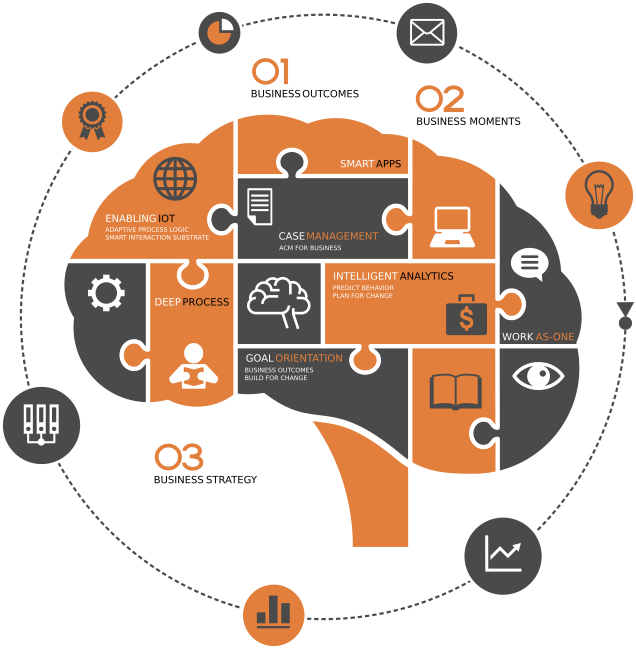
In order to dynamically navigate a complex problem space, it is necessary for a system to know what outcomes are to be achieved within established governance parameters. LSPS allows organizations to model the outcomes first and thereby focus the system by utilizing a series of goals and plans.
Business Outcomes at Center Stage
To achieve process intelligence, LSPS combines the concept of business Goals with the Knowledge that describes a business environment and the Events occurring in real-time within that environment. This relationship is placed at center-stage throughout the entire process lifecycle: modeling, automation, analytics, and continuous optimization.
Small and large, every business has goals. They are the focal drivers for every strategy, operation, and resource use and are steady guides in times of high market and business dynamics. LSPS is the only intelligent Business Process Management Suite (iBPMS) that effectively captures and actively follows business goals with its visionary Goal-Oriented BPM. Leveraging smart, self-adaptive software technology, it delivers end-to-end agility to structured and unstructured processes.
Process Goal Technology™
LSPS supports goal-oriented process modeling with GO-BPMN, an extension of the OMG standard Business Process Modeling Notation BPMN. Goal-Oriented BPMN enhances standard BPMN by allowing the process analyst to separate governance (goals) from procedure (plans): Goals describe what a process will do in terms of milestones and performance goals, while plans are modular snippets of workflow that describe the various ways in which each goal can be achieved.
The goal-oriented model allows the implicit specification of multiple agile paths to achieve a goal or combined goals. There are frequently several paths to achieve a process goal. Each path has a scenario in which it is the optimal solution. When multiple plans are available to achieve a goal, or combination of goals, the LSPS Process Engine dynamically creates an execution path that considers which plan alternatives are best suited to actual or changing business conditions. This results in the optimization of every business process in real-time.
Tactical and Strategic Governance
Tactical goals select which plans should be executed while strategic goals, operating at another level, monitor events and data to provide intelligent, adaptive direction. The strategic layer enables the organization to move from a fairly obvious choice of plans at the tactical level to a network of goal agents that identify ‘non-obvious’ relationships.
Selected Product Features
- Set goals for activities, documents, or teams
- Model the tactical plans for goal achievement on the fly
- Drag and drop modeling
- Tiered modeling environment enabling collaboration between Business and IT
- Active analytics providing continuous and event driven data and analyses
- On demand analytics providing data upon request
- Model evolution - real-time changes to running processes
- Simulation environment using live data to project results based on changes to the existing model
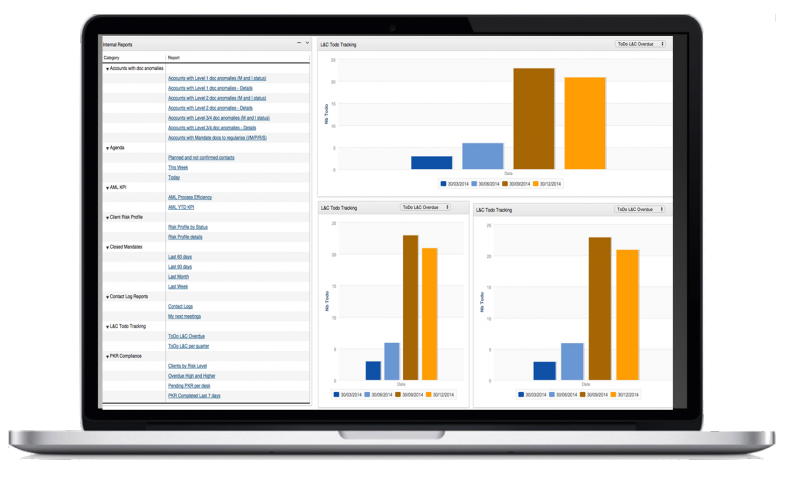
- User friendly interactive web dashboard
Downloads
Getting Started with LSPS
Download your free copy of LSPS.

LSPS Free Download
Try LSPS for free without registration.
Support Resources
- Online Documentation
- YouTube Channel
- Online Training
- Public Issue Tracking on GitHub
- Contact us for direct support